
Deployments
Managing CDN Deployments
Deployments are containers for your CDN domains. Learn how to organize and manage them effectively.
What is a Deployment?
A CDN deployment is a logical grouping of domains that share configuration and analytics. You might organize deployments by:
- Project - One deployment per website or application
- Environment - Separate deployments for staging and production
- Client - If managing multiple clients, one deployment per client
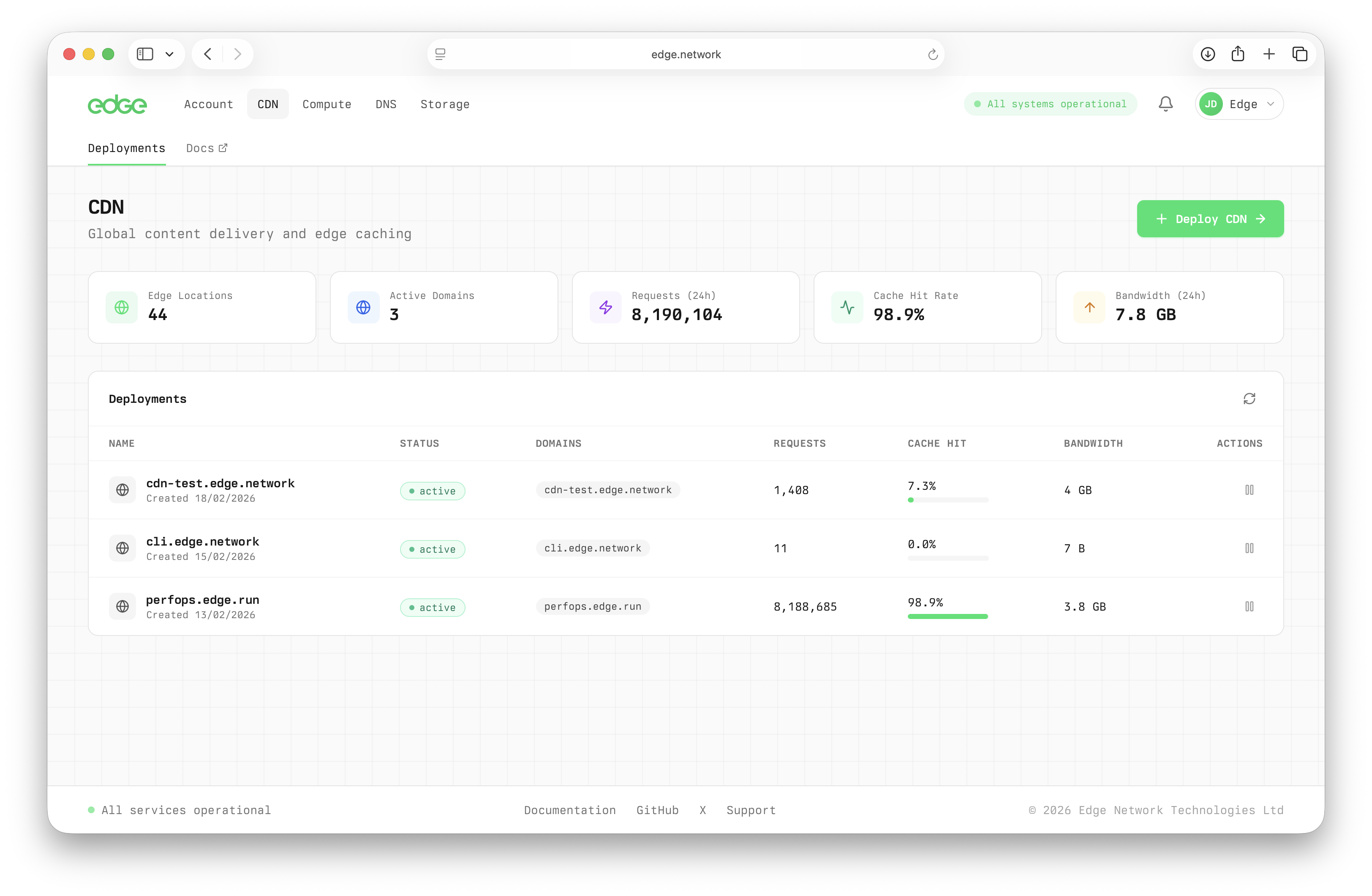
CDN deployments list showing domains, traffic stats, and cache performance
Creating a Deployment
- Navigate to CDN in the main menu
- Click Deploy CDN
- Enter a descriptive name for your deployment
- Click Create Deployment
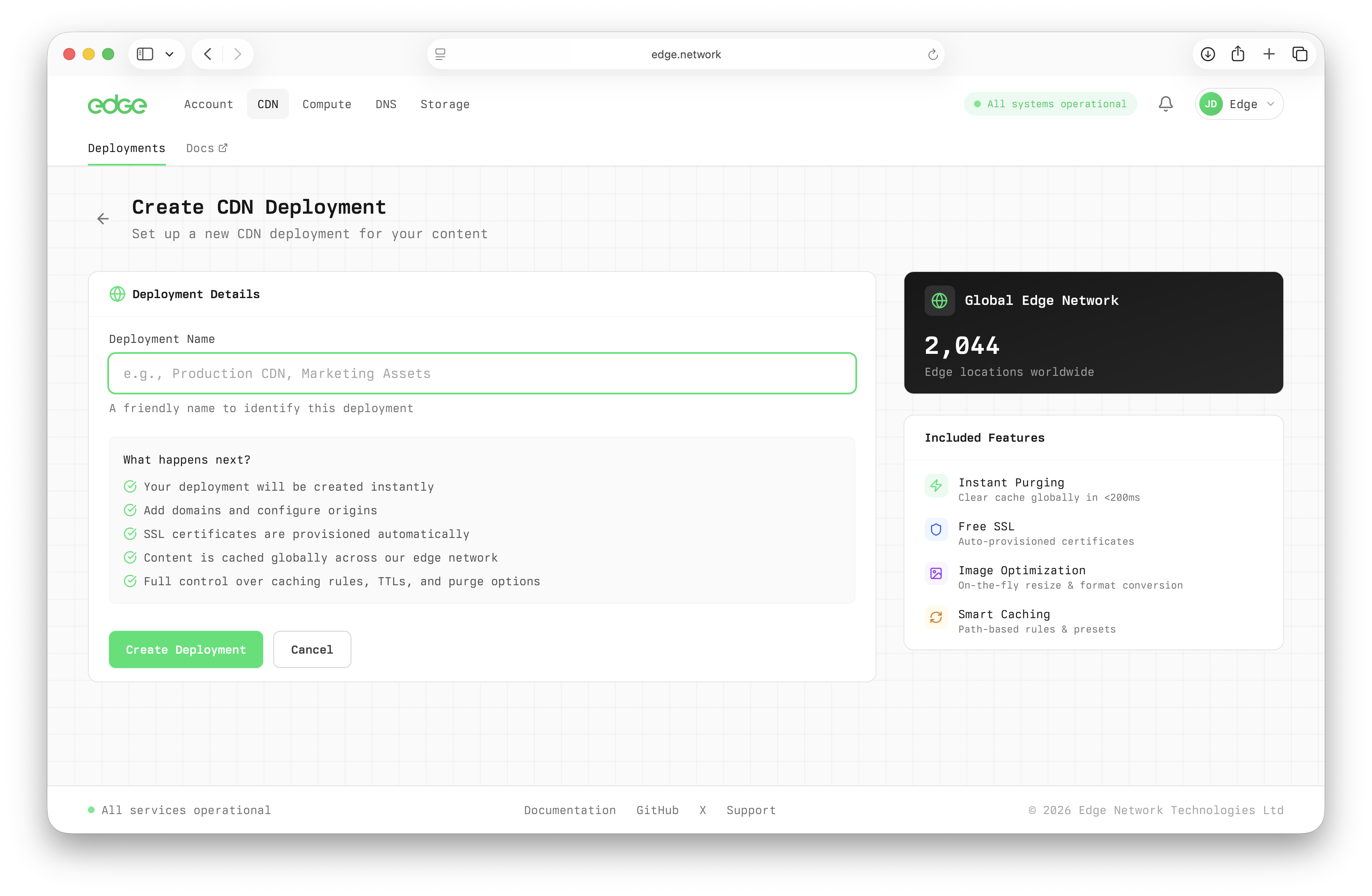
Creating a new CDN deployment
Deployment Dashboard
Each deployment has its own dashboard showing:
Domains
All domains configured for this deployment
Cache Hit Rate
Percentage of requests served from cache
Requests
Total requests over the selected time period
Bandwidth
Total data transferred
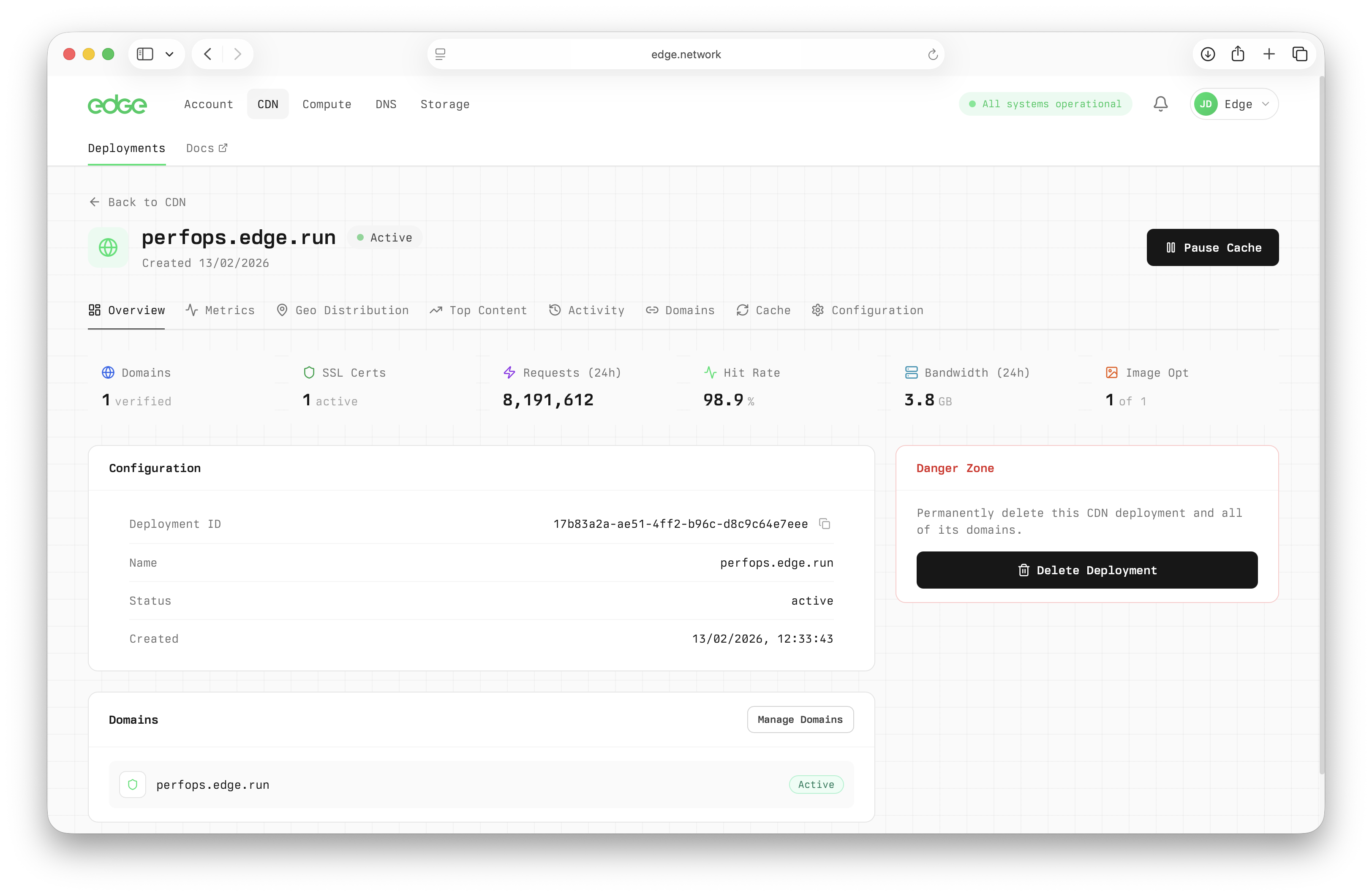
Deployment dashboard showing stats, domains, and traffic overview
Deployment Status
Deployments can have the following statuses:
Deleting a Deployment
When you delete a deployment, all associated domains are removed and traffic will stop being served immediately.
Warning: This action cannot be undone
Deleting a deployment will immediately stop serving all domains. Make sure you've updated your DNS records before deleting.
- Navigate to the deployment you want to delete
- Click the Delete button in the top right
- Confirm the deletion in the modal